Running a remote-proctored OSCE station without special equipment
An OSCE monitor station doesn't need the examiner standing in the room. A six-digit code lets them watch the display and trigger changes from another room, another building, or another site, with nothing extra to install.
What "remote-proctored" means for a monitor station
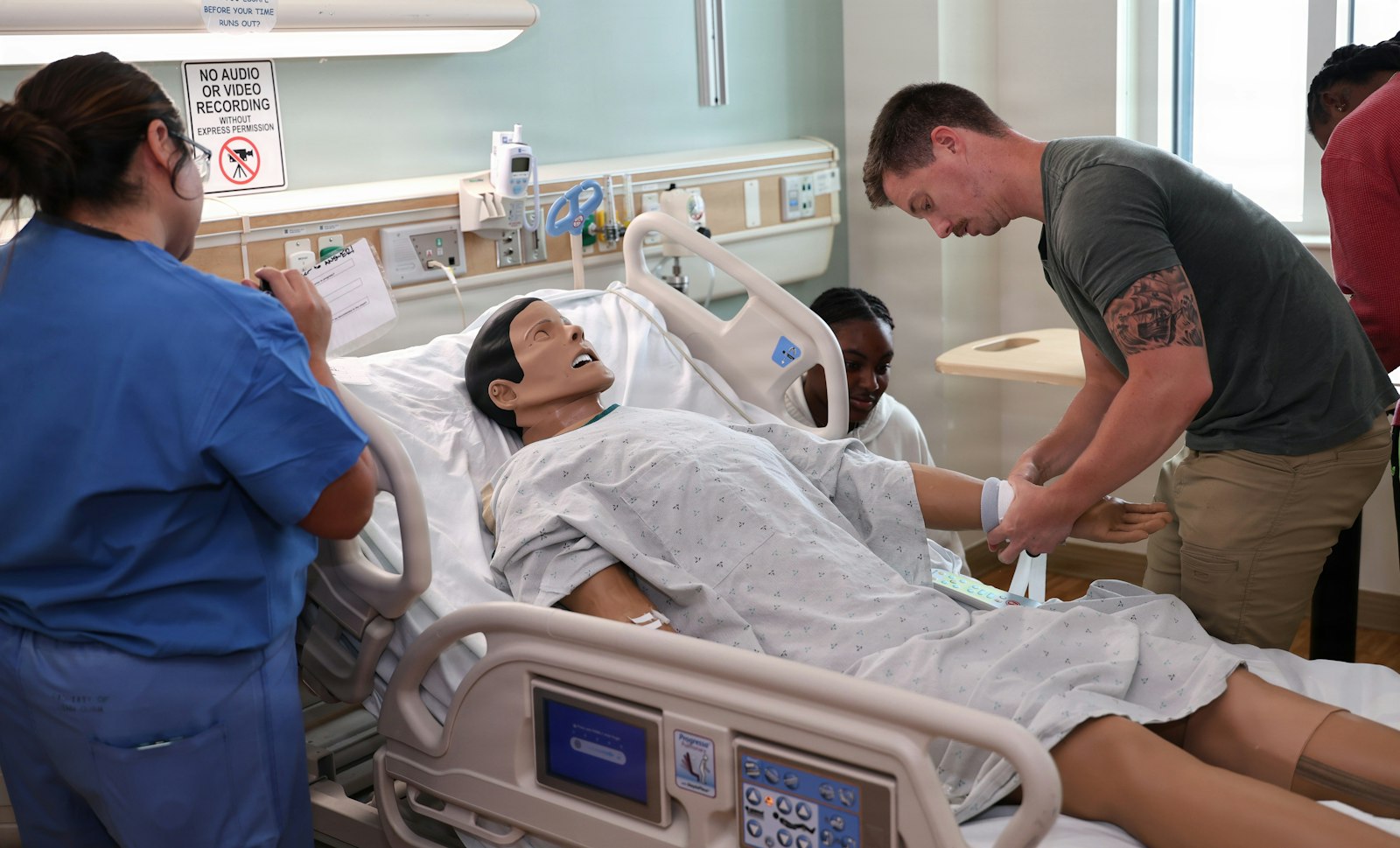
An OSCE, an objective structured clinical examination, moves candidates through a circuit of short, standardized stations, each scored against the same checklist. Plenty of circuits already separate roles at a station: a standardized patient plays the part, a second examiner scores from the corner of the room. Handing the monitor itself to someone who isn't physically present is a small extension of that same idea. The station still has a bedside display, the candidate still has to notice and respond to what it shows, but the person deciding when the numbers change doesn't have to be behind the curtain. Because the display and the controller pair over the internet rather than a shared Wi-Fi network, the controller can be in a quiet office down the corridor, at home, or at a different campus entirely if the exam runs across more than one site.
What the station actually needs
- A tablet or phone set up as the bedside monitor, in the same spot any OSCE monitor station would put one.
- A reliable internet connection at the station itself. This is the one item on this list that isn't optional.
- A six-digit pairing code, generated on the station's screen and given to the proctor before the exam block starts, not read out between candidates.
- A separate video link if the proctor also needs to see the candidate's actions. Pairing the monitor carries no camera feed of its own; it only drives the display.
- Whatever scoring sheet or app the circuit already uses. None of this changes how the station is marked.
Set it up the day before, not the morning of
Pair the devices on the venue's actual network ahead of time, not just on the Wi-Fi at home or in the office. A hospital or university guest network sometimes blocks outbound connections that a home router never would, and the only way to find that out is to try it from the room the station will actually run in. While you're there, have the proctor rehearse the controls they'll use during the exam: triggering the deterioration, resetting the patient back to baseline between candidates. An OSCE circuit runs on tight timing, often a candidate every seven to ten minutes, and a proctor fumbling for the reset button costs time at every single station behind it, not just the one they're running. The setup steps for the pairing itself are the same ones covered in running in-situ simulation with two phones, since it's the same pairing code under the hood.
What a remote proctor can and can't judge
A proctor watching through the paired display can see exactly what the candidate sees: the numbers, the waveform, the alarm. They can tell whether the candidate noticed a deteriorating trend, called for help at the right point, or escalated in the right order. What they can't tell, without a separate camera, is what the candidate's hands are doing: whether a procedure was performed correctly, whether PPE went on properly, how the candidate spoke to the patient. Be honest about which half of the station this setup is scoring. A station built around interpreting and reacting to a monitor is well served by a proctor who isn't in the room. A station built around a physical skill or a communication checklist still needs eyes in the room, whether that's the proctor in person or a camera feed standing in for them.
The honest caveat: network reliability
An OSCE circuit doesn't have slack in the schedule. If the connection drops mid-station, that candidate's time is gone, and so is some of the time for every candidate still waiting behind them in the rotation. The usual culprits are a venue's guest Wi-Fi throttling after a few minutes, a hospital network blocking certain outbound traffic, or a phone quietly switching from Wi-Fi to a weak cell signal partway through. None of these show up until someone tries the actual connection at the actual venue. Test it there in advance, and if the venue has a wired connection or a dedicated network for exam equipment, use it for the station device instead of relying on guest Wi-Fi. The proctor's own connection matters just as much: a dropped connection on their end is just as disruptive as one at the station, so give them a stable line too, not just whatever is available in the room they happen to be sitting in.
Decide the backup plan before exam day, not during it
Somebody needs to be close enough to the station to take over locally if the remote connection drops, whether that's a site coordinator or a floating examiner. Give that person the pairing code in advance, saved on a second device, so they can pick the scenario back up without the candidate having to re-explain what just happened. Just as important: agree in advance what happens to a candidate's score or time if their station has to restart partway through. Exam committees that get asked this question for the first time on the day, in the middle of a running circuit, tend to answer it badly and inconsistently between candidates.
Where this fits in a wider OSCE circuit
Remote proctoring earns its place on the stations where the skill being tested is reading a monitor and deciding what to do about it: deterioration recognition, escalation, prioritization when more than one thing is going wrong. It has no role at a station built around a standardized patient actor and a communication checklist, and it doesn't replace a proctor who needs to watch a physical skill up close. If you're the one planning the whole circuit rather than just this station, that's the same budgeting question covered in building a nursing skills lab on a tight budget: what's essential, what's nice to have, and where a free tool like this one fits into a program that still needs real equipment for the rest of it.
Frequently asked questions
Does the candidate's device need anything special installed?
No. It opens the same link any OSCE monitor station would use. The only new step is the proctor entering a six-digit code on their own device, done once before the exam block starts.
Can one proctor run more than one remote station at a time?
Each station needs its own pairing code, and nothing stops one person holding two tabs open, but at exam speed, splitting attention between two live stations risks missing the exact moment a candidate needs to see a change. If one person must cover more than one station, consider recording that station on video instead and scoring it after the exam block.
What happens if the connection drops in the middle of a station?
Whoever is designated as the local backup, a site coordinator or floating examiner with the pairing code already saved, takes over on a second device so the scenario continues without the candidate re-explaining anything. Decide in advance, not on the day, what that means for the candidate's time or score.
Last updated